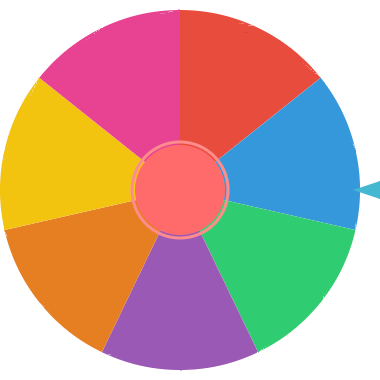
A free random student picker for teachers. Add your students' names, spin the wheel, and choose students fairly for questions, reading, presentations, group activities, and classroom games.
The classroom name picker is designed specifically for teachers who need a fair, engaging way to select students. Instead of always calling on the same students or creating awkward silences, the spinning wheel adds an element of fun and ensures every student has an equal chance of being picked.
Type each student's name and click +. You can add your entire class list in under a minute.
Connect to your projector or smart board. Click SPIN and let the whole class watch the wheel.
The selected student appears with confetti. Use "Remove & Pick Next" to ensure no repeats.
If you need a random student picker for cold calling, reading turns, presentation order, classroom jobs, or review games, add the class list, check that every student is included, and spin the wheel. The result is visible to the class, which makes the selection feel fair instead of personal.
For long class lists, use bulk paste with one student per line. You can use first names, initials, nicknames, table groups, or student numbers depending on your privacy needs and classroom norms.
Use the export results option when you want a lightweight participation record for repeated turns, review games, or group activities. The wheel can also be saved locally or shared with a reusable URL for the same setup.
One of the biggest challenges for teachers is ensuring equitable participation. Some students always raise their hands while others stay silent. The classroom name picker solves this by making selection truly random.
The "Remove & Pick Next" feature works like a no-repeat mode: once a student is selected, they are removed from the wheel until all students have had a turn. This guarantees that every student participates before any student is picked again.
Students tend to stay more engaged when they know they could be called on at any moment. The visual excitement of the spinning wheel also creates a positive classroom atmosphere where being selected feels fun rather than stressful.
A student name picker is useful when you want to choose from a class list without calling on the same confident students every time. Add the student names, spin once, and use the selected result for the next question, reading turn, helper job, or activity.
For privacy, you can use first names, initials, table labels, or group names instead of full student records, especially on shared screens.
For cold calling, reading turns, presentations, and review games, teachers often need each student to be selected once before anyone repeats. Use "Remove & Pick Next" after each spin to take the selected student off the current wheel, then continue until the class list is finished.
If you want a selected student to stay eligible for the next spin, choose "Spin Again" instead. This gives you both teaching modes: no-repeat participation when fairness matters, and open random selection when repeats are allowed.
Use this classroom name picker when your list is a class roster and the goal is student participation. It includes teacher-focused guidance for no-repeat turns, projectors, smart boards, class-list privacy, and participation records.
Use the random name picker when the list is not classroom-specific. To split the full class into even-sized groups in one step, use the random team generator. For an art activity, choose a palette with the color wheel spinner, or pick a problem number with the random number wheel.
The classroom picker does not require a teacher account, student login, or class-list upload. Names are handled in the browser, and the wheel can save the list locally on that device so you do not need to retype it during the same class session.
For privacy, use first names, initials, nicknames, or group labels when possible. When you are finished with a shared computer, use the Clear saved control to remove the locally saved class list.
Spin the wheel to choose who answers the next question. This keeps all students alert and ready, knowing they could be selected at any moment. It distributes participation evenly across the class.
Use the picker to select who reads the next paragraph or section. Students follow along more carefully when they might be chosen to read next. Remove each reader to ensure everyone gets a turn.
Need to form teams or groups? Spin the wheel to assign students to groups one by one. This creates random, fair groups without the social dynamics of students choosing their own teams.
Assign daily or weekly classroom responsibilities like line leader, board eraser, or materials manager. The random selection feels fair to students and takes the decision off the teacher's plate.
Turn test review into a game show format. Spin the wheel to pick which student or team answers each question. Add bonus points or prizes for correct answers to increase engagement.
Use the wheel to determine who goes first (and next) for show and tell, presentations, or project sharing. Students enjoy the anticipation and the random order feels fair.
An online tool that randomly selects student names from a spinning wheel. Teachers add their class list and spin to pick students for questions, activities, or games fairly.
A random student picker selects one student from a class list by chance. Teachers use it for cold calling, reading turns, participation, classroom jobs, review games, and group activities.
Add student names, project the wheel on a screen, and click spin. The wheel randomly selects a student, adding excitement and fairness to the selection.
Yes. Use bulk paste to add one student name, nickname, group label, or initials entry per line, then replace or append the entries to the wheel.
Yes. Click "Remove & Pick Next" to remove the selected student and spin again. This creates a no-repeat mode where every student gets a turn.
Yes. Completely free — no signup, no subscription, no interrupting ads. Unlimited students and spins.
Yes. Use "Remove & Pick Next" after each selection to remove the chosen student from the current wheel before the next spin.
Yes. Save the wheel locally in your browser or copy a share URL when you want to reuse the same classroom wheel setup.
Yes. Export the result history as a CSV file when you want a simple record of selected students or classroom turns.
No account or upload is required. Names are handled in the browser and can be saved locally on that device; use Clear saved when you want to remove the stored list.
Yes. Works in any browser. Connect to your projector or smart board and the whole class can see the wheel.
A general-purpose random name picker for any situation — games, meetings, events.
Choose random winners for school fundraisers, events, and giveaways.
Quick yes/no decisions for classroom activities and games.