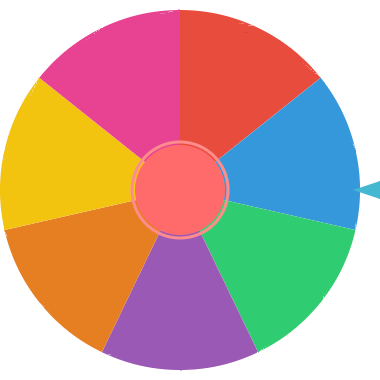
Generate random teams with even sizes, or spin the wheel to choose a captain.
A team picker wheel is a fast way to choose people for teams, groups, or pairings without bias. Add the names of players, students, coworkers, or participants, spin the wheel, and let Fortune Twister select people fairly.
This works well when you need to choose captains first, build balanced groups one person at a time, or randomly decide who joins each team. The spinning wheel makes the process transparent and more fun than simply reading names from a list.
Enter the names of all players, students, or participants you want to include in the team draw.
Click SPIN and let the wheel randomly choose one name at a time for team assignments or captain picks.
Use Continue after each pick to remove that person and keep spinning until all teams are filled.
Paste one name per line, choose the number of teams, and generate the groups in one step. Names are shuffled with the browser's random-number generator and distributed across the teams. Each person appears once, and team sizes differ by at most one.
For example, ten people split into three teams produce groups of four, three, and three. Generate again for a fresh shuffle, or export the assigned teams as a CSV. Blank entries and repeated names are removed; use distinct labels such as Alex A and Alex B for people with the same name.
Team generation runs on your device without sending your roster to our server. It balances group sizes, not skill or roles. Use the separate wheel below when you want to choose a captain or select one person at a time.
A group maker wheel helps you form pairs, small groups, breakout rooms, or activity teams without asking people to choose sides. Add the full list, spin for each assignment, and move the selected person into the next group.
For larger rosters, decide the number of groups first, then rotate through each group as names are picked so the final teams stay roughly even.
After the wheel selects a name, click Continue to remove that person from the remaining options. This helps you make teams, choose captains, or assign group roles without picking the same person twice.
If you need to load a long roster, use the bulk paste tool to add names line by line. The wheel can also save the current list in your browser, so repeated classroom, sports, or meeting sessions are easier to restart later.
The team picker is designed for quick use in the browser. Saved wheels stay in local browser storage on your device, and you can clear the saved wheel when the session is finished.
When you need a record of the draw, export the result history as a CSV file. This is useful for classroom groups, tournament assignments, workshop teams, or any event where you want to keep the picked order.
Make pairs, project groups, reading groups, or table teams quickly while keeping the process fair for students.
Choose captains, split players into teams, or decide practice rotations for soccer, basketball, volleyball, and more.
Assign teams for trivia, board games, party games, or tournaments without arguments over who chooses first.
Randomly place attendees into breakout groups, discussion circles, or workshop teams for more variety.
It is a random wheel that helps you select team members, captains, or groups fairly from a list of names.
Yes. It works well for teachers making pairs, small groups, or random student teams.
Yes. Click Continue after each result to remove the selected person and keep building teams.
Add all names, spin the wheel, assign the selected person to the next team, and click Continue to remove that name before spinning again.
The generator balances team sizes so they differ by at most one person. It does not balance skill, age, or roles; review those yourself.
Yes. Use bulk paste to add a list of players, students, or participants quickly.
The generator roster and generated teams are not saved after a reload; export the teams first. The separate picker wheel automatically saves its names in this browser until you use Clear saved.
Yes. Export the result history as a CSV file when you need a record of the team draw.
Yes. The team picker wheel is free with unlimited names and spins.
Yes. It works on phones, tablets, and desktop computers.
Pick a random person from any list of names.
Use a teacher-focused version for student participation and classroom activities.
Run fair winner draws for contests and giveaways.
Choose between tasks, activities, or options when you are not making teams.