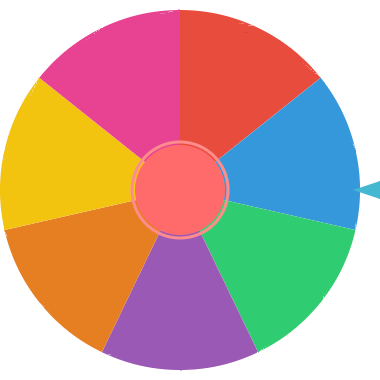
Need help choosing? Add your options, spin the free decision wheel, and let Fortune Twister make the final call. Great for fast choices, group decisions, dares, games, and everyday life.
A decision wheel is a simple way to stop overthinking and choose between options. Add your possible answers, spin the wheel, and get one clear result. It turns indecision into action in seconds.
You can use it when choosing what to eat, what movie to watch, who goes first, which task to start, or how a group should decide between ideas. The spinning wheel makes the choice feel fair and fun.
Type each choice you want to include on the wheel, such as restaurants, activities, names, or tasks.
Click SPIN and let the wheel randomly land on one option.
Accept the choice, spin again, or remove the selected option and continue narrowing down the list.
Use the Yes or No Wheel when your question has exactly two outcomes. Use this decision wheel when you have three or more choices, such as several restaurants, activities, tasks, names, games, or ideas.
If the answer could be Yes, No, or Maybe, use the Yes No Maybe Wheel. If you need a custom list with any number of options, this random decision maker gives you more control.
A choice wheel is best when every option is valid and you simply want a fair, visible result. Add restaurants, chores, games, prompts, activities, names, or tasks, then spin once to choose what happens next.
For repeated narrowing, remove the selected choice after each spin until the list is small enough to decide confidently.
Turn on no-repeat mode when you want the selected choice removed after each spin. This is useful for ranking options, choosing an order, assigning tasks, picking several activities, or narrowing a long list to a final answer.
For long lists, use bulk paste to add every option quickly. You can paste one option per line, replace the current wheel, or append new ideas to an existing decision wheel.
With equal weights, each choice has the same chance to be selected. If you want one option to be more likely, increase its weight from 1 to 10. The wheel will give that option more space while still keeping the final result random.
For fair group decisions, keep all weights equal and make sure everyone agrees on the list before spinning. For playful decisions, weights can make favorites more likely without removing surprise.
Your custom decision wheel can be saved in local browser storage on your device, so repeated lists are easy to reopen. Use Clear saved when you want to remove a saved setup.
Copy a share URL when you want another person to open the same wheel setup. Export the result history as a CSV file when you need a record of picked choices from a classroom activity, meeting, game, stream, or group session.
Pick a restaurant, a weekend activity, a movie, a chore order, or a workout challenge without arguing with yourself.
Use the decision wheel for game night prompts, dares, travel choices, gift exchanges, and group plans.
Teachers can use it for discussion prompts, activity choices, review games, or random task selection.
Choose presentation order, icebreaker topics, discussion prompts, or next steps during workshops and meetings.
It is a random wheel that helps you choose between custom options quickly and fairly.
You can use it for daily decisions, group activities, classroom prompts, games, and many other choice-based situations.
Yes. You can fully customize the wheel with your own choices.
Yes. Use bulk paste to add many options at once, such as restaurants, tasks, names, prompts, or activity ideas.
Yes. Turn on no-repeat mode to remove the selected option after each spin and keep narrowing the list.
Yes. Increase an option's weight when you want it to take more wheel space and have a higher chance of being picked.
Yes. Save the wheel locally in your browser or copy a share URL for a reusable setup.
Use it for fun, low-stakes choices. Do not rely on a random spinner for medical, legal, financial, safety, or major life decisions.
Yes. The decision wheel is free with unlimited spins.
Yes. It works on phones, tablets, and desktop computers.
Need a simple two-choice answer? Use the yes or no wheel.
Add a third option when a simple yes or no is not enough.
Choose a person instead of a general option.