Pick a random color for your next drawing, game, or classroom activity.
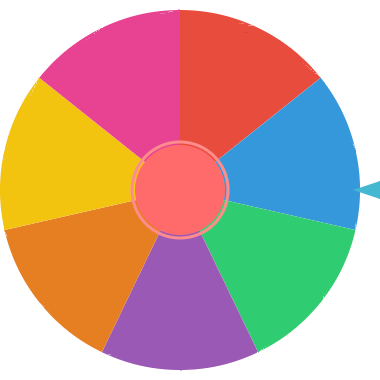
A color wheel spinner randomly selects a color from a custom list. It is useful when you want a visual way to choose colors for games, classroom activities, art prompts, or design exercises.
Choose the rainbow palette for seven familiar colors, warm colors for red, orange, yellow, and pink, or cool colors for blue, teal, green, and purple. Loading a palette sets both the labels and the matching wheel swatches.
This is a random color picker, rather than a color-theory chart or a tool that samples pixels from an image. Each color has equal odds with the default weights. Use no-repeat mode for a drawing challenge where each color should appear once.
Use the built-in color preset or add your own color names to match your project or game.
Click SPIN and let the wheel land on one random color.
Apply the chosen color to your drawing, game rule, challenge, outfit, or activity.
A color picker wheel is useful when you want a random color choice without opening a design app or choosing manually. Add paint colors, marker names, palette labels, team colors, or theme words, then spin for the next color prompt.
Use it for drawing challenges, classroom groups, party games, craft projects, or design warmups where a surprise color makes the activity more fun.
Start with the built-in colors, then edit labels and swatches to match your activity. You can use simple names like red and blue, palette labels like warm neutral and accent color, or project-specific choices like background, outline, highlight, and shadow.
For longer palettes, use bulk paste to add color names or prompt labels quickly. Then adjust the swatches so the wheel looks like the palette you want to use.
When a game, class activity, or drawing challenge needs each color only once, remove the selected color after each spin. This turns the color wheel into a no-repeat picker for rounds, stations, teams, prompt cards, or limited palette exercises.
No-repeat color picking is useful when fairness matters. For example, every table can receive a different station color, every player can get a unique scavenger hunt target, or every design round can use a new accent color without repeating the previous result.
Sometimes a palette should not be perfectly even. You might want neutral colors to appear more often than bright accent colors, or you might want a class game to favor common colors while still keeping rare colors possible.
Use weights to give important colors more wheel space. A weighted color wheel can create a more realistic palette draw while still keeping the result random and easy to explain.
Spin for a required color, limited palette, background color, or accent color before starting a sketch.
Use the wheel to pick a starting color for logos, mood boards, UI mockups, posters, or thumbnails.
Choose yarn, paper, paint, beads, markers, or decoration colors when you want a playful constraint.
Turn color selection into a game by spinning for each round, layer, character, team, or theme.
Teachers can use the color wheel to assign groups, stations, prompt cards, review questions, or classroom jobs. Because the spin is visible, students can see the selection happen fairly.
For games, use colors as categories, teams, scavenger hunt targets, drawing constraints, or themed rounds. If a color should only be picked once, remove it after the result before spinning again.
Your custom color wheel can be saved in local browser storage on your device. You can also copy a share URL when you want someone else to open the same color setup.
Export the result history as a CSV file when you want to keep a record of chosen colors for a class activity, design challenge, livestream, or repeated creative game.
Choose random colors for sketching challenges, painting exercises, and creative warmups.
Teachers can use colors for grouping students, assigning stations, or running quick review games.
Use the color wheel for scavenger hunts, charades twists, or picking themed rounds and challenges.
Generate a surprise palette or challenge yourself to build a concept around a random color.
It is a random wheel that picks one color from a list.
You can use it for art prompts, classroom games, scavenger hunts, design challenges, and color-based activities.
Yes. You can customize the wheel with your own color names and labels.
Yes. Use bulk paste to add color names, palette labels, or creative prompt labels quickly.
Yes. You can edit option colors so the visual swatches match your labels or palette.
Yes. Increase a color option's weight when you want it to take more wheel space and have a higher chance.
Yes. Save it locally in your browser, copy a share URL, or export result history as a CSV file.
Yes. The color wheel spinner is free with unlimited spins.
Yes. It works on phones, tablets, and desktop computers.
Pick random numbers for games, classes, and challenges.
Choose between general options instead of colors.
Use a teacher-focused spinner for student participation.